
Portfolio
Projects

StackPilot - Self-Hosted DevOps Control Plane
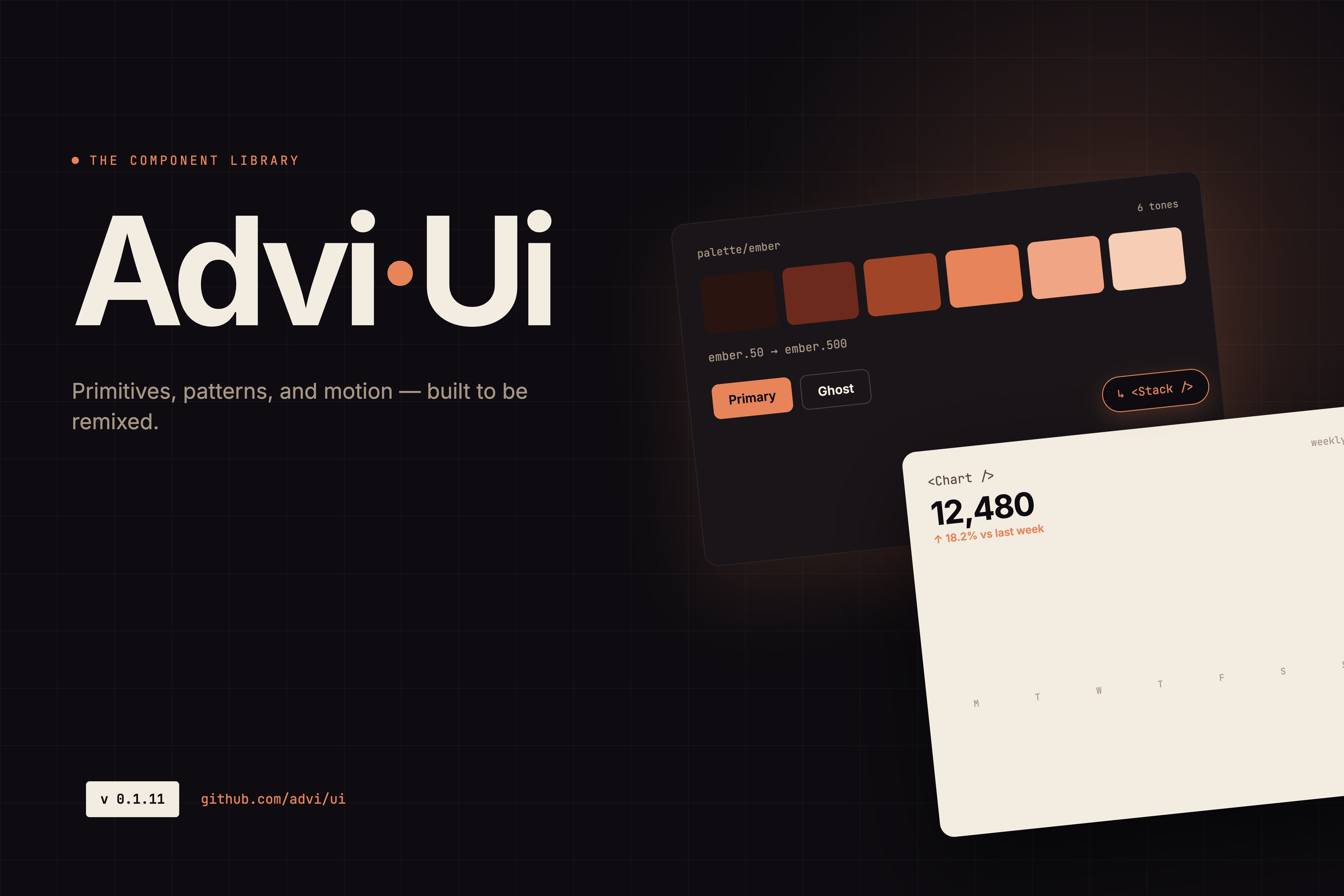
advi-ui — React Component Library

DashTro - Headless CMS

AI-Powered GroupMe Chatbot for Residential Management

La Creation - Business Portfolio Website

Recipe Dataset Scraper

Android Application Development using Kivy Python

Automated Video Generator with Workflow Orchestration

Ask Atharva — AI Blog Chat Widget

RAG-Powered Email Personalization System

MarketIQ - AI Marketing Tool

Facial Expression Detection using CNN
Read More about Facial Expression Detection using CNN
Recipe Recommendation System

IOT based Inventory Management System and Recipe Recommendation System

Personal Tech Blog
AI-Powered Lip-Sync Video Generation System

Recipe Finder
Game 2048 - Desktop Tile Merging Puzzle

Personal Portfolio Website

IOT-Based Inventory Management System
StackPilot - Self-Hosted DevOps Control Plane
System Overview
A full-stack platform for managing application deployments, secrets, and build configuration—built as a self-hosted alternative to Render or Railway. StackPilot provides encrypted secrets management, role-based access control, and Git webhook integration enabling teams to deploy and manage services without expensive managed platforms.
Architecture
Three-Level Deployment Hierarchy
Organized structure modeled after modern deployment platforms: Project → Environment → Service
- Projects: Top-level organizational units (e.g., "E-commerce Platform")
- Environments: Deployment targets (development, staging, production)
- Services: Individual components (web servers, databases, static sites) with independent secrets and build configurations
Secrets Management
AES-256-GCM Encrypted Storage
Production-grade encryption protecting sensitive credentials:
- Secrets encrypted before database storage using AES-256-GCM
- Encryption key auto-generated at first startup, stored separately from database
- List endpoints return metadata only (names, timestamps)—no values exposed
- Individual fetch decrypts on demand—values returned only on explicit request
- Git integration for sourcing secrets from encrypted repository files
Build & Deploy Configuration
Per-Service Build Management
Each service maintains independent configuration:
- GitHub repository URL with encrypted personal access token
- Branch specification and root directory (monorepo support)
- Build and start commands
- Auto-generated UUID webhook URL for GitHub integration
GitHub Webhook Integration
- Unique webhook secret per service (UUID auto-generated)
- Receive push events triggering automated deployments
- Secure trigger mechanism preventing unauthorized deploys
Authentication & Authorization
Multi-Layer Security
JWT Authentication:
- 24-hour token expiry with HTTP-only secure cookies
- HS256 signing preventing token tampering
- Owner: Full platform control
- Admin: Project-level management
- User: Read access to assigned projects
Project-Scoped API Keys:
- 32-byte hexadecimal keys for CI/CD integrations
- 7-day expiration with project-level scoping
- Revocable tokens for instant access termination
- Secure token generation via Resend API
- bcrypt-hashed tokens with 1-hour expiry
REST API
25+ Endpoints Across Permission Tiers
- Public: Authentication, registration, webhooks
- User-level: View projects, environments, services, secrets (metadata)
- Admin: Create/modify/delete resources with cascading cleanup
Cascading Deletion: Delete Project → removes environments → services → secrets → configs. API-layer enforcement ensuring data consistency.
Frontend Dashboard
React Management Interface
Full CRUD operations for the entire hierarchy:
- Create/view/edit/delete projects with environment overview
- Add environments with service listings
- Deploy web servers, databases, static sites
- Manage secrets with show/hide toggle for sensitive values
- Edit build configuration with real-time validation
State Management:
- Zustand stores scoped by feature domain
- Context-keyed stores (projectId/envName) supporting multiple concurrent contexts
- Optimistic updates with devtools integration
Technical Stack
- Backend: Go, Gin, GORM, SQLite, AES-256-GCM, JWT (HS256), bcrypt
- Frontend: React 18, TypeScript, Vite, Zustand, Tailwind CSS, shadcn/ui, Radix UI, react-router-dom v7
- Component System: Custom UI library (Button, Input, Card, Modal, Toast) with Storybook documentation and Vitest tests
Technical Highlights
- Security-First API Design: List endpoints return metadata only—secret values never exposed in bulk operations. Individual GET requests decrypt specific secrets on demand. GORM Find + RowsAffected pattern suppresses noisy "record not found" error logs.
- Cascade Delete Logic: API-layer enforcement with explicit ordering (services → secrets → configs). Transaction-wrapped preventing partial deletions. Audit logging of each deletion step.
- UUID Webhook Secrets: Auto-generated on config save (never user-supplied). 128-bit entropy preventing prediction attacks. Encrypted storage with separate encryption key.
Self-Hosting Benefits
Cost Efficiency:
- Render/Railway: $20–50/month per user
- StackPilot self-hosted: $6–12/month total
- Annual savings: $200–600 for small teams
- Complete control over deployment credentials
- No third-party access to source code
- Compliance-friendly for regulated industries
Key Challenges & Solutions
- Preventing Secret Exposure in Logs: Metadata-only list endpoints, explicit decrypt-on-demand pattern, sanitized error messages never including secret values.
- Cascade Deletion Complexity: API-layer enforcement with explicit ordering, transaction wrapping enabling rollback on failures, clear error messages about deletion impacts.
- Webhook Security: UUID-based auto-generated webhook URLs (128-bit entropy), encrypted storage, never user-supplied preventing weak values.
- Frontend State Across Nested Hierarchy: Zustand stores keyed by context enabling simultaneous multi-project management, optimistic updates with rollback on API failure.
Key Takeaways
StackPilot demonstrates building production-grade DevOps tooling with modern security practices (AES-256-GCM, JWT, RBAC) while maintaining developer-friendly workflows. The platform proves self-hosted alternatives to expensive managed services are viable—strategic architecture delivers enterprise features at a fraction of SaaS costs.
Security: AES-256-GCM encryption-at-rest, JWT (HS256), RBAC, bcrypt
API: 25+ endpoints, 3-tier hierarchy, cascading deletes, metadata-only list endpoints
Economics: $6–12/month self-hosted vs. $20–50/month/user managed platforms
Status: Active development, core features complete
Automated Video Generator with Workflow Orchestration
System Overview
A fully automated content creation and streaming platform that transforms job listings from major employment portals into professionally narrated video streams. Operating 24/7 with zero manual intervention, the system processes 120 job listings daily, generates 12 half-hour videos (6 hours of fresh content), and maintains continuous YouTube streaming—all on a $6/month infrastructure budget achieving 98% cost savings vs. commercial alternatives.
Content Pipeline Architecture
Multi-Stage Automation Flow
Stage 1: Content Aggregation
Automated extraction from six major platforms: LinkedIn, Indeed, Naukri, Internshala, Foundit, and Monster via Google Custom Search API (100 free requests/day). Strategic batching and platform rotation consistently delivers 120 jobs daily within free-tier limits.
Daily Volume: 120 jobs → 12 videos (10 jobs each) → 6 hours new content + 6 hours replay = 12-hour streaming cycle
Stage 2: AI Script Generation
GPT-4o Mini transforms raw job data into engaging 30-minute narratives with engineered prompts ensuring consistent tone, structure, and information density. Automated validation checks length, coherence, and quality before proceeding.
Stage 3: Audio Synthesis
Kokoro TTS (Hugging Face open-source) converts scripts to natural narration—self-hosted eliminating the $300-500/month cost of commercial TTS services while providing unlimited generation capacity.
Stage 4: Visual Pipeline
Three-step conversion ensuring compatibility and quality:
- PowerPoint automation creates slides from job data with dynamic layouts
- LibreOffice headless renders PPTX to high-fidelity PDF
- WebP export produces optimized video frames (30-40% smaller than PNG)
Stage 5: Video Composition
FFmpeg merges audio with visuals creating 30-minute segments (1080p, H.264, optimized for streaming). Parallel processing generates 3-4 videos concurrently reducing total cycle time.
Stage 6: Stream Assembly
Videos combine into daily schedule: 12 videos (6 hours new + 6 hours replay) maintaining continuous viewer engagement and maximizing content utilization.
Live Streaming Infrastructure
OBS WebSocket Control
Python services programmatically manage OBS Studio via WebSocket:
- Generate unique stream IDs and configure scenes dynamically
- Set encoding parameters (1080p, 6000kbps, x264)
- Add overlays, backgrounds, and branded graphics per session
- Establish YouTube RTMP connection with authentication
Priority Queue System
Intelligent playback management:
- High Priority: Breaking opportunities, urgent hiring
- Standard Priority: Daily new content
- Fill Priority: Replay content preventing dead air
YouTube Integration
Simultaneous live streaming and video archival with automated metadata generation (titles, descriptions, tags, thumbnails) derived from content data.
Monitoring & Alerting
Failed Node Detection
Real-time monitoring tracks every workflow node with immediate email alerts on failure including:
- Failure context, error diagnostics, impact assessment
- Affected content and recommended remediation actions
- Alert routing to appropriate teams (data, content, infrastructure, operations)
Recovery Workflow
- Automatic retry with exponential backoff (3 attempts)
- Alternative approaches (skip item, use cached content, fallback generation)
- Human escalation with pre-compiled diagnostics if automated recovery fails
Reliability Metrics: 99.5% uptime, 85% automated recovery rate, <2 min alert latency, <15 min MTTR
Orchestration Architecture
n8n Workflow Engine (self-hosted on Contabo VPS $5-6/month)
Coordinates scheduled triggers, data transformations, conditional logic, error handling, state management, and webhook integrations—all through visual workflows with comprehensive monitoring.
Custom FastAPI Microservices
Extend n8n capabilities:
- TTS Service: Kokoro inference, voice profiles, audio normalization
- FFmpeg Service: Video encoding, concatenation, format conversion
- Visual Pipeline Service: PPTX → PDF → WebP orchestration with validation
- OBS Control Service: WebSocket communication, stream configuration, health monitoring
Cost Efficiency
Total Monthly Cost: $10-15 (98% reduction vs. commercial)
- Contabo VPS: $5-6/month (8 vCPU, 16GB RAM, 400GB NVMe)
- GPT-4o Mini API: ~$3-5/month (3,600 scripts monthly)
- Kokoro TTS: $0 (self-hosted vs. $300-500/month commercial)
- Google Search API: $0 (100 free requests/day, optimized)
- YouTube Streaming: $0 (free platform)
Performance Characteristics
Daily Processing:
- 120 job listings extracted and processed
- 12 videos generated (30 minutes each)
- 6 hours new content produced
- 98% success rate extraction → streaming
- 4-6 hour end-to-end latency
System Efficiency:
- Parallel processing: 3-4 concurrent video generations
- 99.5% uptime with automated failover
- <15 minute recovery time for failures
- 360 videos/month (3,600 jobs presented)
Technical Innovations
- API Optimization: Batch requests, platform rotation, smart caching, and deduplication extract 120 jobs from 100 free API requests daily
- Quality Assurance: Multi-stage validation (script, audio, visual, video) maintains 98% success rate with automatic retry and fallback strategies
- Resource Optimization: Batch processing, intelligent caching (30-40% speedup for repeated content), off-peak scheduling (overnight processing)
- Streaming Reliability: Health monitoring every 30 seconds, automatic restart on degradation (2-3 min recovery), queue persistence preventing data loss
Key Challenges & Solutions
- API Rate Limits → Batch requests (10-15 jobs per call), platform rotation, supplemental RSS feeds
- Script Quality → Engineered prompts, multi-stage validation, automatic regeneration (3 attempts)
- Visual Pipeline → Three-step conversion with validation, PDF intermediary ensuring consistency
- Stream Continuity → Priority queue with intelligent replay preventing dead air during failures
- Cost Management → Self-hosted Kokoro TTS, Contabo VPS, free-tier APIs (98% savings)
- Monitoring Visibility → Comprehensive error handlers, email alerts with diagnostics, 85% automated recovery
Technical Stack
- Orchestration: n8n (self-hosted), Contabo VPS ($6/month)
- Backend: FastAPI, Python
- AI: GPT-4o Mini, Kokoro TTS (Hugging Face)
- Processing: FFmpeg, LibreOffice (headless), PowerPoint automation, WebP
- Streaming: OBS Studio, OBS WebSocket, YouTube APIs
- Data Sources: Google Custom Search API, LinkedIn, Indeed, Naukri, Internshala, Foundit, Monster
- Monitoring: Email alerts, health checks, automated recovery
- Storage: PostgreSQL, Docker containerization
Business Impact
Production Scale:
- 3,600 jobs presented monthly (120/day × 30)
- 360 videos produced monthly (12/day × 30)
- 180 hours new content generated monthly
- Fully autonomous 24/7 operation
Operational Excellence:
- 98% automation success rate
- $540-685 monthly savings (98% cost reduction)
- 99.5% uptime with <15 min MTTR
- Zero manual intervention required
Future Enhancements
- Content Intelligence: Trend analysis, personalized streams by job category, A/B testing, real-time adjustment based on viewer metrics
- Advanced Features: Multi-language support, dynamic thumbnails, automated chapters, real-time subtitles, voice cloning
- Infrastructure: GPU acceleration (50-70% faster processing), distributed queue system, CDN integration, multi-stream support
- Monitoring: Predictive failure detection, automated remediation, Slack/Discord integration, performance degradation alerts
Key Takeaways
This project demonstrates production-grade automation orchestrating AI content generation, open-source TTS, media processing, and live streaming into a fully autonomous platform operating at 1/50th the cost of commercial solutions.
Achievement: Built a system handling production workloads (360 videos/month, 99.5% uptime) on a $6/month VPS—proving sophisticated automation doesn't require enterprise budgets when properly architected.
Value: Transforms hours of manual work into automated processing delivering 3,600 job opportunities monthly with 98% success rate and comprehensive monitoring—serving as a blueprint for cost-effective, large-scale content automation.
Scale: 120 jobs/day, 12 videos/day, 6 hours content/day, 360 videos/month
Economics: $10-15/month (98% savings vs. $550-700/month commercial)
Reliability: 99.5% uptime, 98% success rate, <2 min alerts, <15 min MTTR
Status: Production deployment, actively streaming, continuous optimization
Personal Tech Blog
Overview
A personal blog and devlog platform built to document real-world software engineering work. Designed and built entirely solo from scratch, with a focus on minimal page weight, clean architecture, and a polished reading experience.
Architecture
Islands Architecture
Built on Astro 5's islands architecture — pages ship as static HTML by default, with React 19 components hydrating selectively on the client side. This keeps JavaScript payloads minimal: only the components that actually need interactivity send any JS to the browser.
Content System
Dual MDX Collections
Two distinct MDX content collections power the site:
- Long-form articles — in-depth posts on engineering topics
- Short devlogs — concise entries documenting day-to-day engineering decisions
Scroll Animation
GSAP ScrollTrigger Hero
The hero banner is a full-viewport section that shrinks and rounds on scroll using GSAP ScrollTrigger. The animation is driven by scroll position rather than a fixed timeline, giving it a natural, physics-aware feel tied directly to user input.
SEO & Distribution
Full SEO infrastructure baked into the base layout:
- Open Graph and Twitter Card meta tags
- XML sitemap auto-generated at build time
- RSS feed for reader subscriptions
- Canonical URLs on every page
UI Library
UI primitives sourced from advi-ui, a custom React component library built and published to npm by the same author. Using a shared library keeps the blog's component layer thin and ensures design consistency across projects.
Technical Stack
Technologies used:
Astro 5, React 19, TypeScript, Tailwind CSS, GSAP, MDX, Zod, Vercel
Key Takeaways
Astro's islands architecture is the right call for a content-first site — static pages ship with zero JS by default, and React hydrates only where interactivity is genuinely needed. The shared advi-ui component library keeps the blog's own component footprint minimal.
Stack: Astro 5, React 19, TypeScript, Tailwind CSS, GSAP, MDX
Infra: Vercel (static deploy)
Status: Live
advi-ui — React Component Library
Overview
A personal React component library — 30+ production-quality UI components built on shadcn/ui conventions, Tailwind CSS, and Radix UI primitives. Distributed as a dual CJS/ESM npm package (v0.1.15) and documented with a Storybook deployed to Vercel. Used across personal projects including the personal tech blog.
Component Inventory
UI Primitives (src/components/ui/)
- Button: CVA variants (default, outline, secondary, ghost, link, destructive, icon), active press state, focus-visible ring
- Input: error/label/description slots,
useIdfor ARIA association - Textarea: masked mode (dot overlay), controlled/uncontrolled
- Select: custom dropdown, full keyboard navigation, ARIA combobox/listbox
- MultiSelect: chip display, maxCount overflow badge, checkbox options
- Radio / RadioGroup: CSS-only state via
:has(), vertical/horizontal groups - Checkbox / CheckboxGroup: indeterminate support via
useImperativeHandle - Switch:
role="switch", label left/right, 3 sizes - Accordion: Radix-powered, single/multiple open modes
- Tabs: native ARIA, primary-color underline indicator
- Badge: filled/border variants, 3 colors, 3 sizes
- Table: 8 composable sub-components with forwarded refs
- Modal: GSAP-animated, portal-based, focus management, inert, Escape key
- Dialog: Radix dialog
- Toast: configurable left/right position
- FormField: layout wrapper with label/description/error/required slots
Higher-Level Components (src/components/)
- Header: responsive, hamburger menu via Modal slide-right variant
- PageAside: sidebar with collapsible/always-open modes, CSS-driven label animation
- SearchInput: debounced
onSearch, clear button, loading spinner, shortcut badge - CircularProgressBar: SVG ring with GSAP stroke animation, center slot
- HoverPopup: floating tooltip with debounced hide, arrow, enter/exit animation
- YearDotNav: fixed right-rail dot nav, IntersectionObserver per year+month, smooth scroll with programmatic lock, expandable month dots
- ScrollAnimationBtn: fixed button with rotating text, play/pause, toast feedback
- Footer: logo, linkGroups, copyright props, responsive
- PageNotFound: 404 page
Styling Architecture
CSS class prefix: vi- (e.g. vi-btn, vi-accordion-container). Styles written in SCSS using @layer components + @apply for Tailwind compatibility.
Design token system: raw palette in _palette.scss ($teal-*, $orange-*) mapped to semantic CSS custom properties in _tokens.scss (--advi-color-*). Theme styles auto-import on package load via sideEffects.
Build & Distribution
- Vite +
vite-plugin-dtsproduces dual ESM (advi-ui.es.js) and CJS (advi-ui.cjs.js) output with source maps - Type declarations at
dist/src/index.d.ts - Separate style export path:
advi-ui/styles - Peer deps: React ≥ 18
Testing & Documentation
- Testing: Vitest for unit tests, Playwright for E2E
- Storybook 10: stories for every component with a11y, themes, vitest, and designs addons — deployed to Vercel
Technical Stack
- Framework: React 19, TypeScript
- Build: Vite, vite-plugin-dts (dual CJS + ESM)
- Styling: Tailwind CSS v3, SCSS (
@layer components) - Primitives: Radix UI (accordion, dialog), Base UI, class-variance-authority, clsx, tailwind-merge, lucide-react
- Animation: GSAP
- Testing: Vitest, Playwright
- Docs: Storybook 10 (Vercel)
Key Takeaways
A self-maintained design system that keeps component architecture consistent across personal projects — the blog uses it, and new projects can adopt it by installing the package rather than rebuilding primitives from scratch.
Version: 0.1.15 (npm)
Components: 30+ (UI primitives + higher-level)
Stack: React 19, TypeScript, Vite, Tailwind, Radix UI, GSAP
Status: Active development
Ask Atharva — AI Blog Chat Widget
Overview
Ask Atharva is a RAG-powered chat assistant embedded on the personal tech blog. Instead of a generic AI that guesses at answers, it retrieves content directly from the blog and uses Gemini to respond — so every answer is grounded in something actually written. The backend is a single n8n workflow connecting a webhook, a vector store, and a language model.
How a Message Gets Answered
- The React chat widget sends the user's message and a session ID to an n8n webhook endpoint
- The agent embeds the message using gemini-embedding-2 and queries the Supabase
blog_documentsvector store, retrieving the top 20 semantically relevant chunks - Those chunks are injected as grounding context alongside the conversation history
- Gemini generates a response based on the retrieved content
- The reply is returned to the frontend and rendered in the widget
RAG & Vector Store
Blog articles and devlogs are ingested and stored as vector embeddings in Supabase pgvector using the gemini-embedding-2 model. At query time the same embedding model is used, so the vector space is consistent between ingestion and retrieval. Semantic search (top-K 20) ensures the agent always works from the most relevant source material rather than relying on model knowledge alone.
Session-Aware Memory
Every visitor session gets a unique ID generated on first page load. This ID is passed with each message and used to key a buffer window memory node inside the n8n agent — maintaining a sliding window of recent turns. The result is a conversational experience where follow-up questions are answered in context, not as cold one-off queries.
Testing Without Breaking Production
The workflow has two entry points wired to the same agent:
- Webhook node — production path, receives requests from the blog frontend
- Chat Trigger node — plugs directly into n8n's built-in chat UI for iterating on the agent without deploying or touching the live site
Frontend Widget
A React component floats persistently on every blog page. The UX is kept intentionally simple — message appears immediately on send, typing indicator shows while the agent is working, reply renders when it arrives. No AI SDK, no streaming infrastructure — just a fetch to the webhook endpoint.
Technical Stack
Technologies used:
n8n, Supabase (pgvector), Gemini (gemini-embedding-2), React, TypeScript, Vercel
AI-Powered Lip-Sync Video Generation System
Overview
An advanced video synthesis pipeline combining Wav2Lip for audio-driven lip-synchronization with LivePortrait for realistic face animation, creating photorealistic talking-head videos from static images and audio inputs. Built as a FastAPI microservice with async job processing, multi-GPU acceleration, and webhook callbacks for integration into larger automation pipelines.
Architecture
The system uses a two-stage inference pipeline: LivePortrait first animates the source face to generate natural head motion, then Wav2Lip synchronizes lip movements to the input audio. Both models run on GPU with automatic device selection — NVIDIA CUDA on Linux servers and Apple MPS on macOS development machines — delivering a 6x speedup over CPU baseline. A FastAPI layer wraps the pipeline with async job queuing, real-time progress tracking, and webhook callbacks on completion.
Core Features
- Dual-model pipeline: Wav2Lip for lip sync + LivePortrait for face animation, composited via FFmpeg
- Multi-GPU acceleration: Automatic device selection between CUDA (NVIDIA) and MPS (Apple Silicon) with CPU fallback
- Async REST API: FastAPI with background task queue, job ID tracking, and status polling endpoints
- Webhook callbacks: POST notifications to caller on job completion or failure, including output file URL
- Scalable architecture: Stateless workers consumable behind a load balancer; job state stored externally
Technical Stack
- AI Models: Wav2Lip, LivePortrait
- Backend: Python, FastAPI
- Media Processing: FFmpeg
- GPU Acceleration: NVIDIA CUDA, Apple MPS (Metal Performance Shaders)
- Infrastructure: Docker, REST API, Webhook integration
Key Takeaways
Combining two specialized video AI models into a single composited pipeline required careful management of frame rates, resolution alignment, and model inference ordering — solved through an FFmpeg post-processing pass that normalizes output from both models before final render.
Stack: Python, FastAPI, Wav2Lip, LivePortrait, FFmpeg, CUDA, MPS
Performance: 6x speedup over CPU baseline with GPU acceleration
API: Async REST with webhook callbacks and real-time progress tracking
Status: Complete
DashTro - Headless CMS
System Overview
A headless CMS that lets users define custom data schemas, create named collections based on those schemas, and manage documents within each collection. DashTro separates content structure from content delivery—schemas describe the shape of data, collections namespace instances of that shape, and documents hold the actual content, all served through a clean REST API.
Architecture
Monorepo — Frontend + Backend
The project is split into two independent packages:
- cms-frontend: React 18 + TypeScript SPA (Vite), communicating with the backend over Axios
- cms_backend: Django 5 + Django REST Framework API with PostgreSQL JSONB storage
Schema Builder
User-Defined Data Structures
Users define schemas with typed fields before creating any content:
- Supported types: String, Number, Boolean, NestedDoc, ReferenceDoc
- Schema names are validated as PascalCase; field names are enforced as snake_case — constraints applied at the serializer level so invalid shapes are rejected before reaching the database
- Schemas are stored in the
cms_schemaJSONB table, making the field definitions themselves queryable data
Collections & Documents
Namespaced Content Management
Collections link a named workspace namespace to a schema, providing isolation between content types:
- Each collection is tied to a schema, constraining which fields its documents can contain
- Documents are created with auto-generated IDs; their forms are dynamically generated at runtime from the linked schema definition—no hardcoded form fields anywhere in the frontend
- All document content is stored in the
cms_workspace_dataJSONB table, allowing arbitrary schema evolution without database migrations for individual field changes
API Design
RESTful Endpoints Across Three Resource Tiers
- Auth:
/api/cms/auth/— JWT login and token management - Schema:
/api/cms/schema/(list/create),/api/cms/schema/<id>/(retrieve/update/delete) - Collections:
/api/cms/collections/(list/create),/api/cms/collections/<id>/(update/delete) - Documents:
/api/cms/workspace/<ws>/collection/<col>/(list/create),/api/cms/workspace/<ws>/collection/<col>/document/<id>/(retrieve/update/delete)
Data Layer
PostgreSQL JSONB for Schema-Flexible Storage
All four core tables use JSONB columns:
- cms_schema — field definitions per schema
- cms_schema_collections — collection configs linking workspaces to schemas
- cms_workspace_data — document content
- cms_realtime — real-time data channel
postgres_client.py utility module handles all JSONB read/write operations, keeping raw SQL out of view logic and making storage behaviour easy to test in isolation.
Frontend
React 18 + Redux Toolkit + Material-UI 7
The SPA is structured around page-level components and a shared component library:
- Pages: Login, Schema builder, Collection content, Document content, Settings
- 13 reusable components including SchemaComponent, DocumentList, PageForm, and LinkDrawer
- 5 Redux slices (schema, collection, document, schemaPreset, rootPath) providing predictable global state
- Custom hooks —
useSchema,useCollection,useDocument,useSchemaMetaData— encapsulate data-fetching logic and keep pages thin
Technical Stack
- Frontend: React 18, TypeScript, Vite, Redux Toolkit, Material-UI 7, React Router 7, Axios, SASS
- Backend: Django 5, Django REST Framework, PostgreSQL (JSONB), JWT auth
Key Takeaways
DashTro demonstrates the power of JSONB-backed dynamic schemas—content structure is data, not code, so new content types require zero backend changes. The pattern of generating serializers and forms at runtime from schema definitions keeps the system genuinely headless: the API contract is driven by user configuration, not hardcoded models.
Schema: User-defined typed fields (String, Number, Boolean, NestedDoc, ReferenceDoc), PascalCase/snake_case validation
Storage: PostgreSQL JSONB — schema-flexible, no migrations for field changes
API: Dynamic DRF serializers generated from schema definitions at request time
Status: Active development
RAG-Powered Email Personalization System
System Overview
An intelligent email automation platform that generates personalized weekly newsletters by extracting relevant information from company documents and tailoring messages to individual recipients at scale. The system eliminates manual email writing, reduces campaign preparation from hours to minutes, and enables a small team to manage mass outreach with comprehensive approval workflows and delivery tracking.
The Problem
Managing weekly customer outreach newsletters presented significant bottlenecks:
- Manual email writing consuming hours per campaign researching company updates from scattered documents
- Personalization at scale requiring individual customization for different recipient segments
- Small team capacity limiting outreach volume and consistency
- Data scattered across PDFs, Word docs, Excel sheets making relevant information hard to extract
- Quality control needed before sending to customer base
Solution Architecture
RAG-Based Intelligence Pipeline
The platform implements Retrieval-Augmented Generation ensuring emails contain accurate, relevant company information rather than AI hallucinations.
Document Knowledge Base
Ingests and processes company documents creating a searchable semantic database:
- Supported formats: PDF, DOCX, Excel (product updates, case studies, announcements, internal reports)
- Vector storage: Supabase pgvector for efficient semantic search
- Embedding generation: Google Gemini text-embedding-004 model
- Chunking strategy: Intelligent document splitting preserving context and relationships
Personalization Engine
For each recipient, the system:
- Retrieves context from knowledge base based on email topic and recipient profile (industry, past interactions, interests)
- Generates content using Google Gemini with retrieved documents as grounding context
- Personalizes based on recipient data from Excel sheets (name, company, role, previous engagement)
- Validates output for tone consistency, length constraints, and factual accuracy
Workflow & Approval System
n8n Orchestration
The entire process runs through custom n8n workflows providing visual oversight and control.
Email Generation Workflow:
- Recipient import from Excel sheets (names, emails, companies, segments)
- Topic definition specifying email purpose and key messages
- RAG retrieval pulling relevant company information from vector database
- Gemini generation creating personalized drafts for each recipient
- Preview compilation assembling all emails for review
Telegram Approval Integration
Rather than email-based review, the system uses Telegram for mobile-friendly approval.
Approval Flow:
- Draft notification sent to approver via Telegram with campaign summary
- Gmail draft automatically created in approver's inbox for detailed review
- n8n preview panel displays all generated emails with recipient details
- Inline approval buttons in Telegram (Approve All, Review Individual, Reject)
- Single approver reviews and authorizes before mass sending
Average approval time: <30 minutes from generation to authorized send
Gmail Integration & Delivery
Mass Email Distribution
Once approved, the system orchestrates personalized sending via Gmail API.
Gmail Node Features:
- Personalized sending: Individual emails to each recipient (not BCC mass mail)
- Read tracking: Gmail read receipts monitoring email opens
- Follow-up triggers: Automated reminders for unopened emails after 3-5 days
- Rate limiting: Respects Gmail sending limits (500 emails/day) with queue management
- Error handling: Failed sends automatically retry, log issues, alert team
Recipient Management: Excel sheets track contact details, send history, open status, and follow-up needs. n8n nodes update sheets post-send with delivery status and engagement metrics. Follow-up workflow automatically identifies unopened emails triggering gentle reminder campaigns.
Engagement Visibility: Real-time dashboard in n8n showing open rates, pending follow-ups, and campaign performance.
Technical Architecture
n8n Workflow Orchestration
Custom nodes coordinate the entire pipeline:
- Excel integration importing recipient data, updating delivery status
- Supabase vector queries retrieving relevant document sections
- Gemini API calls generating personalized content with context
- Gmail operations creating drafts, sending emails, tracking reads
- Telegram webhook handling approval interactions
- Conditional logic routing based on approval status, send quotas, error conditions
Supabase pgvector Implementation
PostgreSQL with pgvector extension provides scalable semantic search:
- Document chunks stored with embeddings (1536 dimensions, Gemini model)
- Similarity search finding top-k relevant sections for each email topic
- Metadata filtering by document type, date, department, relevance
- RLS policies ensuring secure document access control
Google Gemini Integration
Dual usage for efficiency:
- Embeddings (text-embedding-004): Convert document chunks and queries to vectors
- Generation (gemini-pro): Create email content with retrieved context as grounding
Key Features
Intelligent Content Creation
- Context-aware emails: System retrieves relevant company updates, product launches, case studies matching recipient industry and interests
- Factual grounding: RAG architecture prevents hallucinations by anchoring generation in actual company documents
- Tone consistency: Maintains professional brand voice across all personalized variations
- Length optimization: Targets ideal newsletter length balancing information density and readability
Approval & Quality Control
- Visual preview: n8n interface displays all generated emails before sending
- Gmail draft review: Approver sees exact email format and content in familiar Gmail interface
- Telegram mobile workflow: Quick approval from anywhere without desktop access
- Edit capability: Approver can modify drafts in Gmail before final authorization
Scalability
- Mass personalization: Generate unique emails for 100+ recipients in <10 minutes
- Queue management: Respects Gmail limits while maximizing throughput
- Error resilience: Failed sends retry automatically without losing data
- Weekly cadence: Supports consistent newsletter schedule with minimal manual effort
Business Impact
Time Efficiency:
- Before: 3-4 hours per weekly newsletter (research updates, write emails, personalize, send)
- After: 30-45 minutes per campaign (define topic, review drafts, approve, automated send)
- Time savings: ~80% reduction in campaign preparation effort
Team Productivity:
- Small team enablement: 1-2 people manage weekly outreach to 100+ customers
- Consistent cadence: Reliable weekly newsletters previously impossible with manual process
- Reduced bottlenecks: Automation eliminates research and writing delays
Communication Quality:
- Improved personalization: Each email tailored to recipient context (vs. one-size-fits-all template)
- Factual accuracy: RAG grounding ensures company information correctness
- Professional consistency: Maintained brand voice across all communications
Technical Challenges & Solutions
- Document Knowledge Accuracy → RAG architecture retrieves actual document sections rather than relying on LLM memory. Gemini generates emails grounded in retrieved text preventing factual errors or outdated information.
- Personalization at Scale → Batch processing generates 100+ unique emails in parallel while maintaining individual context. Excel integration provides recipient data (industry, past interactions) informing personalization strategy.
- Approval Workflow Speed → Telegram integration enables mobile-first approval without desktop email access. Interactive buttons provide instant authorization while Gmail drafts offer detailed review when needed. Average approval time reduced from hours to <30 minutes.
- Gmail Sending Limits → Intelligent queue management respects 500 emails/day limit, distributes large campaigns across multiple days, implements exponential backoff for rate limit errors, and provides clear progress visibility.
- Follow-up Management → Automated read tracking updates Excel sheets with open status. n8n workflow identifies unopened emails after 3-5 days, generates gentle follow-up content, and queues reminder campaigns—eliminating manual tracking burden.
Technical Stack
- Workflow Orchestration: n8n (self-hosted, custom nodes)
- Vector Database: Supabase (PostgreSQL + pgvector extension)
- AI Models: Google Gemini (text-embedding-004, gemini-pro)
- Email Platform: Gmail API (sending, drafts, read tracking)
- Approval Interface: Telegram Bot API (webhooks, interactive buttons)
- Recipient Management: Excel integration (n8n nodes, automated updates)
- Document Processing: PDF parsing, DOCX extraction, Excel reading
- Infrastructure: Contabo VPS (self-hosted n8n instance)
- Deployment: Docker containerization, automated workflows
Operational Metrics
Weekly Newsletter Cadence:
- 100+ personalized emails generated per campaign
- 30-45 minute total campaign time (generation + approval + send)
- <30 minute average approval turnaround
- 80% time reduction vs. manual process
System Performance:
- Email generation: ~5-10 minutes for 100 recipients
- RAG retrieval: <2 seconds per query (vector search + embedding)
- Approval workflow: Mobile-accessible, real-time status updates
- Delivery tracking: Automated read monitoring, follow-up identification
Future Enhancements
- Content Intelligence: A/B testing different subject lines, content structures, CTAs; engagement analysis identifying high-performing topics; sentiment analysis on recipient replies
- Advanced Automation: Multi-language support, dynamic content blocks per recipient, automated scheduling based on recipient timezone, smart follow-up sequences with varying content based on engagement level
- Enhanced Personalization: CRM integration pulling richer recipient context, behavioral triggers (product usage, renewal dates) initiating targeted emails, industry-specific content recommendations
- Analytics Dashboard: Real-time campaign performance metrics, historical trend analysis, recipient segmentation insights, ROI tracking connecting outreach to business outcomes
Key Takeaways
This project demonstrates intelligent automation combining RAG architecture, workflow orchestration, and thoughtful approval processes to solve a real business problem: enabling small teams to maintain personalized, consistent customer communication at scale.
Technical Achievement: RAG implementation ensures emails contain accurate company information grounded in actual documents rather than generic AI-generated content—critical for maintaining professional credibility and brand trust.
Operational Value: 80% time reduction transforming weekly newsletter preparation from 3-4 hour manual effort to 30-45 minute supervised automation—enabling consistent outreach previously impossible with team capacity.
User-Centric Design: Telegram approval workflow recognizes that mobile-accessible, instant authorization matters more than elaborate review interfaces—pragmatic engineering serving actual team workflows rather than technical complexity for its own sake.
The system proves that thoughtfully designed automation doesn't replace human judgment—it amplifies it, handling tedious research and writing while preserving quality control and strategic oversight.
AI: Google Gemini (text-embedding-004 + gemini-pro), RAG via Supabase pgvector
Orchestration: n8n (self-hosted, Contabo VPS)
Scale: 100+ personalized emails/campaign, 80% time reduction vs. manual
Status: Complete
Recipe Finder
System Overview
A full-stack recipe platform with personalised recommendations, JWT-based authentication, and a research-backed multi-factor scoring engine. Recipe Finder lets users save recipes, track cooking history, and receive recommendations tailored to their habits—while an admin panel provides full content management through env-var-secured credentials.
Recommendation Engine
Multi-Factor Scoring
Recommendations are computed using a composite score built from four independent signals:
- Day-of-week affinity: Identifies which recipes the user historically cooks on the current day of the week, surfacing contextually relevant suggestions
- Frequency weighting: Recipes cooked more often receive a higher base score, reflecting genuine preference
- Recency penalty: Recently cooked recipes are down-ranked to promote variety and prevent repetitive suggestions
- Preference bonuses: Explicit dietary preferences stored in the user's profile boost matching recipes
Authentication & Authorisation
Spring Security 6 + JWT
Stateless authentication implemented with Spring Security 6 and signed JWTs:
- Tokens carry a ROLE_USER or ROLE_ADMIN claim, enforced at the method level via
@PreAuthorize - All protected endpoints reject requests missing a valid Bearer token
- Passwords stored as bcrypt hashes—plain-text credentials never persisted
Admin Identity via Environment Variables
Admin credentials are intentionally not stored in the database. The adminLogin() method compares the submitted username and password against values injected at startup via Spring's @Value annotation, sourced from environment variables. On a successful match, it returns a JWT bearing ROLE_ADMIN—no admin row is ever written to or read from the database. This eliminates an entire class of admin-credential exposure through database breaches or accidental ORM queries.
Core Features
Recipe & User Management
- Ownership-aware search: Recipe queries filter by the authenticated user's ID, ensuring users only interact with their own data unless browsing public recipes
- Cooking history: Each cook event is logged with a timestamp, providing the raw data driving the recommendation engine
- Dietary preferences: Users set and update preferences (vegetarian, vegan, gluten-free, etc.) stored on their profile and applied as scoring bonuses
- Admin panel: Full CRUD for recipes, ingredients, and categories, accessible only with a valid ROLE_ADMIN token
Infrastructure & Deployment
Fully Containerised with Docker Compose
The entire stack—Spring Boot API, React frontend, PostgreSQL database, and nginx reverse proxy—runs as a single Docker Compose project:
- nginx serves the compiled React build and proxies
/apirequests to the Spring Boot container - PostgreSQL data is persisted via a named Docker volume
- Environment variables (DB credentials, JWT secret, admin credentials) are supplied at runtime—no secrets baked into images
- JPA/Hibernate handles schema migrations on startup (
ddl-auto: update), keeping the database schema in sync with entity classes
Frontend
React 18 + TypeScript + Vite
The client is built with React 18, TypeScript, and Vite for fast iteration and type safety:
- SCSS modules for component-scoped styling with shared design tokens
- Axios with request interceptors attaches the JWT Bearer token to every protected call
- Role-aware routing hides admin routes from regular users client-side (server enforces the same via
@PreAuthorize)
Technical Stack
- Backend: Spring Boot 3, Spring Security 6, JWT, JPA/Hibernate, PostgreSQL, bcrypt
- Frontend: React 18, TypeScript, Vite, SCSS, Axios
- Infrastructure: Docker, Docker Compose, nginx
Key Takeaways
Recipe Finder demonstrates building a data-driven personalisation system on a secure, production-ready full-stack foundation. The admin-via-env-vars pattern shows deliberate security design—removing an attack surface rather than hardening it. The multi-factor scoring engine proves that meaningful recommendations don't require ML infrastructure; thoughtful signal composition over relational data is often sufficient.
Auth: Spring Security 6, JWT (ROLE_USER / ROLE_ADMIN), bcrypt, env-var admin credentials
Recommendations: Day-of-week affinity, frequency weighting, recency penalty, preference bonuses
Infra: Docker Compose — Spring Boot, React, PostgreSQL, nginx
Status: Complete
AI-Powered GroupMe Chatbot for Residential Management
Overview
A centralized messaging system for broadcasting announcements across 11+ residential building GroupMe groups. Messages are routed through an admin approval step, enhanced by an AI model for grammar and tone, then delivered simultaneously to all building groups.
The Problem
Managing communications across 11+ building groups required manual copy-pasting, had no approval gate before messages reached residents, and produced inconsistent grammar and tone in official announcements. The solution centralizes all outgoing messages through a single approval workflow with AI-assisted editing.
Approval Workflow
- Staff submits a message via the Next.js admin interface
- Message is sent to an admin GroupMe group for review
- Perplexity Sonar AI enhances grammar and tone before approval
- An authorized lead approves the broadcast
- FastAPI webhook delivers the final message to all 11+ building groups simultaneously
Architecture
Backend
FastAPI handles GroupMe webhook events in real time. MongoDB stores message records, group relationships, and approval state. Access control restricts approval and broadcast actions to authorized leads only.
Frontend
A Next.js admin interface provides message composition, approval queue management, and broadcast status — with real-time updates as messages move through the workflow.
AI Integration
Perplexity's Sonar model processes each message before approval, correcting grammar and adjusting tone to maintain professional, consistent resident communication. The AI step runs automatically in the pipeline — the approver reviews the enhanced version before broadcasting.
Technical Stack
- Backend: Python, FastAPI, GroupMe API (webhooks)
- Frontend: Next.js, React
- Database: MongoDB
- AI: Perplexity Sonar (grammar and tone enhancement)
Key Takeaways
Centralizing multi-group broadcasts behind a single approval workflow eliminated manual copy-pasting, removed the risk of unapproved messages reaching residents, and standardized communication quality across all buildings.
Scale: 11+ building GroupMe groups
AI: Perplexity Sonar (grammar & tone)
Stack: FastAPI, Next.js, MongoDB, GroupMe API
Status: Complete
MarketIQ - AI Marketing Tool
Overview
My first hackathon — HackUTA 6 at The University of Texas at Arlington, built alongside teammates Akshay Daundkar, Nachiket Gawali, and Nikhita Kalburgikar. I led the frontend for this AI-powered marketing assistant designed for small businesses that lack a dedicated marketing team. MarketIQ automates industry research, generates personalized marketing flows, schedules content, and maintains consistent brand messaging—all through a conversational AI interface backed by GPT-4.
The Problem
Small businesses face a compounding set of marketing barriers:
- Professional SEO tools and campaign platforms are cost-prohibitive on limited budgets
- Owners juggling multiple roles rarely have time for in-depth strategy or market research
- Personalization at scale—analysing customer data and crafting tailored messages—requires expertise and tooling most small teams don't have
- Maintaining a consistent brand voice across social channels without dedicated staff leads to inconsistent, low-impact campaigns
What It Does
- Industry & competitor research: Automatically gathers insights into customer preferences, competitor strategies, and market trends
- Personalised marketing flows: Generates customised campaign sequences tailored to individual consumer segments
- Post scheduling & campaign automation: Reduces repetitive manual work and ensures consistent content cadence
- Customer behaviour prediction: Identifies optimal times for campaign launches and email sends to maximise visibility
- Brand-consistent content generation: AI-generated copy that maintains a unified voice across all channels with minimal human input
- User persona creation: Builds detailed audience profiles from market data to sharpen targeting
Prompt Engineering
The core technical investment was in prompt engineering. 10 domain-specific prompts were designed, iteratively tested, and refined to cover distinct marketing use cases—research, personas, content generation, scheduling, campaign analysis, and more. Careful prompt construction ensured GPT-4 produced reliable, specialised outputs rather than generic responses, which was critical for giving small businesses actionable, trustworthy recommendations.
Technical Stack
- Backend: Python
- AI: GPT-4 (OpenAI API)
- Frontend: Streamlit
- Database: MongoDB (prompt storage, conversation history)
Key Takeaways
MarketIQ demonstrated how prompt engineering is the central lever of quality in LLM-powered products—not just model selection. Iterating on 10 specialised prompts until each one reliably produced expert-level marketing output showed that thoughtful AI design, not raw compute, is what makes a tool genuinely useful. The project also proved that a small hackathon team can build a production-viable AI product in a single weekend when the architecture is kept lean (Python + Streamlit + MongoDB) and the AI integration is purpose-built.
Event: HackUTA 6 · The University of Texas at Arlington (first hackathon)
Role: Frontend
Team: Akshay Daundkar, Nachiket Gawali, Nikhita Kalburgikar
AI: GPT-4, 10 fine-tuned domain-specific prompts
Stack: Python, Streamlit, MongoDB
Status: Complete
Game 2048 - Desktop Tile Merging Puzzle
Overview
A cross-platform desktop implementation of the 2048 tile merging puzzle, built with Electron and React. Tiles with identical values merge when slid in any direction; the objective is to combine tiles until reaching 2048. The game is packaged as a native desktop application with auto-update support, and also served via the portfolio through an nginx reverse proxy.
Architecture
Electron 3-Process Model
The app follows Electron's standard process separation:
- Main process (
src/main/) — handles the application lifecycle, window management, and native OS integration - Preload script (
src/preload/) — acts as the bridge between the main process and the renderer, exposing a safe, typed API surface viacontextBridge - Renderer (
src/renderer/) — the React + TypeScript UI, running as a standard web app inside the Electron window
Game Logic
OOP Class — Game2048
Core game mechanics are encapsulated in a single TypeScript class that extends GlobalFunctions:
- Manages grid state, score, and best score
- Handles tile spawning in random vacant cells after each move
- Processes input from both keyboard arrow keys and touch swipe gestures
- Communicates with an external API (
API_BASE_URL) for persistent best score storage
GameBoard React component renders the grid as a dynamic boardSize × boardSize layout, with tile values driving CSS class-based styling for each numbered tile.
Build & Distribution
- Built with electron-vite for fast HMR in development and optimised production bundles
- Packaged via electron-builder with targets for
--win,--mac, and--linux - electron-updater provides automatic OTA updates on all platforms
Technical Stack
- Desktop: Electron v35, electron-vite, electron-updater, electron-builder
- UI: React 18, TypeScript, SCSS, react-router-dom
Key Takeaways
A native desktop port of 2048 demonstrates Electron's process isolation model — main, preload, and renderer each have clearly scoped responsibilities, with contextBridge providing a typed, secure API surface between the privileged main process and the web renderer.
Stack: Electron v35, React 18, TypeScript, SCSS
Distribution: electron-builder (Windows, macOS, Linux) + OTA via electron-updater
Status: Live
La Creation - Business Portfolio Website
Overview
A production website for La Creation, a modular kitchen and furniture business. Built as a TypeScript Angular SPA and hosted on Firebase. Currently live at lacreation.in.
What It Does
- Single-page application presenting the business's modular kitchen and furniture portfolio
- Showcases product range and craftsmanship to prospective customers
- Hosted on Google Firebase for reliable static delivery
Technical Stack
Technologies used:
TypeScript, Angular, Google Firebase, HTML, SCSS
Key Takeaways
A clean, client-facing SPA delivering a polished product showcase with minimal overhead.
Stack: TypeScript, Angular, Firebase
Type: Client project, SPA
Status: Live
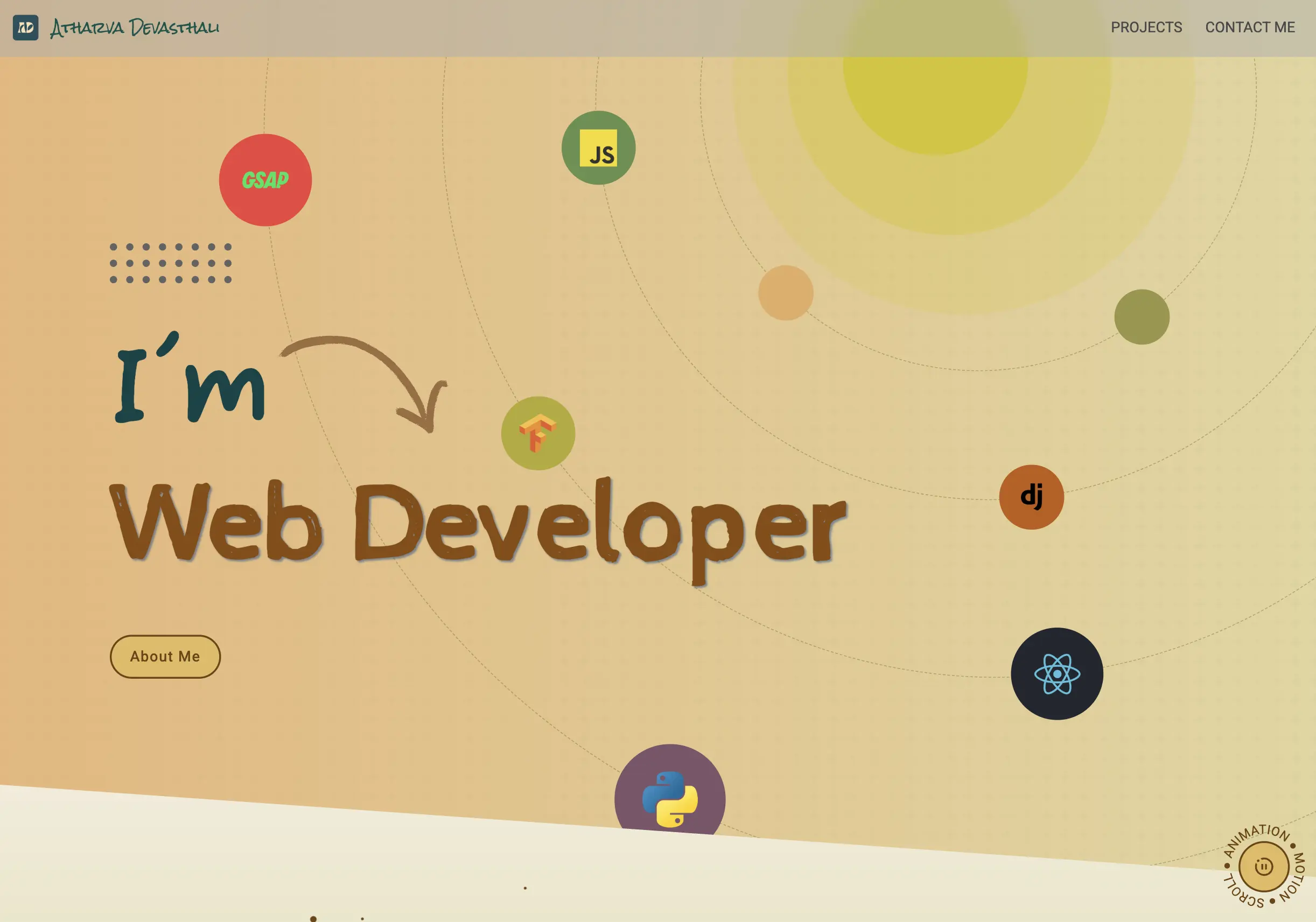
Personal Portfolio Website
Overview
A full-stack portfolio website built to showcase projects and technical work. Designed in Figma, developed over two years, and evolved from an initial Flask implementation to Django with a custom Webpack build pipeline. All content is data-driven through JSON fixtures, and the site integrates the Ask Atharva RAG chatbot built on the blog_rag package.
Architecture
Backend
Django serves as the primary backend framework using Jinja2 as the template engine (replacing Django's default templating for better performance and composability). All portfolio content — projects, experience, skills, and testimonials — is loaded from structured JSON fixtures at build time, keeping the site static-data-fast without a runtime CMS. Contact form submissions are dispatched through Django's email backend.
Ask Atharva RAG Integration
The site embeds a conversational AI chatbot powered by blog_rag, a private Python package that indexes blog content into a PostgreSQL vector store and answers natural-language questions using retrieval-augmented generation. A separate database router isolates the blog_rag PostgreSQL database from the portfolio's default SQLite store.
Build Pipeline
Webpack handles the full asset pipeline: compiles TypeScript to JavaScript, SCSS to CSS, and produces optimized production bundles with code splitting, lazy loading, and preload hints for critical fonts. No JavaScript framework — all interactivity is vanilla TypeScript.
Design & UX
- Designed in Figma before development, with wireframes establishing layout and visual identity
- Mobile-first responsive layouts across all device sizes
- GSAP ScrollTrigger for pinned scroll animations;
gsap.quickTofor high-frequency mousemove tracking - Inline SVG data-URI noise textures for section backgrounds — no external image requests
Infrastructure & Deployment
Hosted on a Contabo VPS with automatic deploys triggered from the main branch. The blog_rag package syncs independently from a separate GitHub repository on each deploy, keeping the RAG index up to date without rebuilding the portfolio.
Technical Stack
- Backend: Django, Python, Jinja2
- Database: SQLite (default), PostgreSQL (blog_rag vector store)
- Frontend: TypeScript, SCSS, HTML, GSAP
- Build: Webpack
- AI: blog_rag (RAG chatbot, PostgreSQL-backed)
- Infrastructure: Contabo VPS
- Design: Figma
Key Takeaways
The site is intentionally framework-free on the frontend — vanilla TypeScript with GSAP keeps the bundle lean and eliminates runtime overhead. All content is fixture-driven, so adding or updating a project requires only a JSON file change with no database migrations.
Stack: Django, Jinja2, TypeScript, Webpack, GSAP, PostgreSQL
AI: Ask Atharva RAG chatbot (blog_rag + PostgreSQL)
Infra: Contabo VPS (auto-deploy from main)
Status: Live
Recipe Dataset Scraper
Overview
A Python data pipeline that extracted, cleaned, and structured ~12,000 recipes from public cooking websites to build the dataset powering the IoT Recipe Recommendation System. Sub-project of the IoT-Based Inventory Management and Recipe Recommendation System.
Data Extraction
- BeautifulSoup (BS4) parsed recipe pages to extract structured fields: name, preparation time, cook time, servings, ingredient list, and step-by-step instructions
- Selenium automated nutritional value calculation by submitting ingredient lists to a nutrition website and scraping the returned values
Data Cleaning
Raw scraped data underwent filtering and normalization to retain only fields relevant to the recommendation algorithm. The cleaned output aligned directly with the schema expected by the recipe recommendation engine.
Technical Stack
Technologies used:
Python, BeautifulSoup (BS4), Selenium
Key Takeaways
Extracting nutritional data required Selenium to automate a third-party website rather than a direct API — a practical workaround when structured data isn't available.
Scale: ~12,000 recipes, diverse cuisines
Stack: Python, BeautifulSoup, Selenium
Status: Complete
Recipe Recommendation System
Overview
A multi-factor recipe recommendation engine that ranks suggestions based on user preferences, cooking history, real-time IoT inventory data, and nutritional requirements. Sub-project of the IoT-Based Inventory Management and Recipe Recommendation System.
Recommendation Engine
Each recipe is scored using a composite of independent signals:
- User preferences: likes, dislikes, and allergies — allergenic recipes are filtered out before ranking
- Cooking history: past selections inform frequency-based scoring
- Real-time inventory: recipes requiring unavailable ingredients are deprioritized
- Nutritional targets: calorie count and macronutrient data factor into scoring
- Recency penalty: recently prepared meals are down-ranked to promote variety
Self-Learning
The algorithm refines its recommendations over time as user interaction data accumulates — scoring weights adjust based on observed preference patterns, making suggestions increasingly accurate with use.
Nutritional Information
Each recommended recipe surfaces its nutritional profile — calorie count, macronutrient breakdown — so users can make informed dietary decisions alongside recipe selection.
Technical Stack
Technologies used:
Python, Machine Learning Algorithms
Key Takeaways
Meaningful recommendations don't require ML infrastructure — thoughtful multi-factor scoring over structured data (preferences, history, inventory, nutrition) produces genuinely useful suggestions.
Signals: Preferences, history, IoT inventory, nutrition, recency
Stack: Python, ML algorithms
Status: Complete
IOT-Based Inventory Management System
Overview
An IoT system using weight sensors and a Raspberry Pi to track pantry ingredient quantities in real time. Sensor readings feed live inventory data to the recipe recommendation engine. Sub-project of the IoT-Based Inventory Management and Recipe Recommendation System.
Hardware Setup
- Load cell measures the physical weight of ingredients placed on it
- HX711 module — a 24-bit analog-to-digital converter — translates the analog load cell signal into digital data
- Raspberry Pi receives the digital readings from the HX711, runs the calibration and weight calculation logic, and exposes inventory state to the recommendation system
Calibration
Accurate weight measurement requires calibration against known reference weights. The system applies kernel density estimation (KDE) on a bivariate distribution of sensor offset and value readings. The maximum-density cluster in the distribution establishes the calibration baseline — contour plots visualize the density and confirm calibration quality.

Technical Stack
Technologies used:
Python, Raspberry Pi, HX711, Load Cell
Key Takeaways
Using KDE on bivariate sensor data for calibration provides a statistically robust baseline — more reliable than a single reference reading because it accounts for sensor noise across a distribution of samples.
Hardware: Raspberry Pi, HX711, Load Cell
Calibration: KDE bivariate distribution
Status: Complete
Android Application Development using Kivy Python
Overview
A cross-platform Android application built with Python and the Kivy framework, serving as the user interface for the IoT Recipe System. Packaged as an APK via Buildozer for installation on Android devices. Sub-project of the IoT-Based Inventory Management and Recipe Recommendation System.
Features
- Browse the full recipe database (~12,000 recipes)
- View real-time ingredient inventory from IoT sensors
- Receive personalized recipe recommendations
- Manage dietary preferences and cooking history
Build & Packaging
Kivy provides a Python-based cross-platform UI framework with smooth navigation and touch-friendly interaction. Buildozer compiles the Python source into an Android APK, enabling direct installation on Android devices without an app store.
Technical Stack
Technologies used:
Python, Kivy, Buildozer, Android
Key Takeaways
Kivy and Buildozer enable Python-native Android development — keeping the entire project stack in Python across backend, recommendation engine, and mobile UI.
Stack: Python, Kivy, Buildozer
Platform: Android
Status: Complete
IOT based Inventory Management System and Recipe Recommendation System
Overview
A bachelor's final year capstone project (2020) combining IoT ingredient tracking, machine learning recommendations, a 12,000-recipe database, and an Android interface into a full end-to-end culinary assistant. Published as a research paper in Springer.
System Components
The project was divided into four sub-projects, each developed independently and integrated into the full system:
- Recipe Dataset Scraper: Extracted and structured ~12,000 recipes from public cooking websites using BeautifulSoup and Selenium
- IoT Inventory Management: Raspberry Pi + HX711 + load cells tracking pantry ingredient weights in real time using KDE-based sensor calibration
- Recipe Recommendation Engine: Multi-factor ML scoring using user preferences, cooking history, live inventory data, and nutritional requirements
- Android Application: Kivy-based mobile UI tying all components together — recipe browsing, inventory view, and personalized recommendations
Hardware
- Raspberry Pi: central hub for IoT integration and cross-component communication
- HX711 + Load Cell: measures ingredient weights via 24-bit analog-to-digital conversion
- Calibration: kernel density estimation on bivariate sensor data for precise weight measurement
Recommendation Logic
Recipes are scored and ranked per user session using:
- Dietary preferences, dislikes, and allergy filters
- Cooking history and frequency weighting
- Real-time ingredient availability from IoT sensors
- Nutritional targets (calories, macronutrients)
- Recency penalty to prevent repetitive suggestions
Technical Stack
- Hardware: Raspberry Pi, HX711, Load Cell
- Data Pipeline: Python, BeautifulSoup (BS4), Selenium
- Recommendation: Python, Machine Learning Algorithms
- Mobile: Python, Kivy, Buildozer, Android
- OS Support: Windows, Ubuntu
Key Takeaways
Integrating hardware (IoT sensors), data pipelines (web scraping), ML (recommendation), and a mobile UI into a single cohesive system — all in Python — was the core achievement of this capstone. Published in Springer.
Scale: ~12,000 recipes, 4 sub-projects
Stack: Python, Raspberry Pi, Kivy, ML
Published: Springer
Status: Complete